brake TESLA MODEL X 2017 User Guide
[x] Cancel search | Manufacturer: TESLA, Model Year: 2017, Model line: MODEL X, Model: TESLA MODEL X 2017Pages: 198, PDF Size: 4.87 MB
Page 83 of 198

Canceling and Resuming
To manually cancel
Traffic-Aware Cruise
Control, briefly push the cruise control lever
away from you or press the brake pedal. The
speedometer icon on the instrument panel
turns gray to indicate that cruise control is not
actively controlling your speed.
To resume cruising at the previously set
speed, briefly pull the cruise control lever
toward you.
Note: Depending on date of manufacture,
some Model X vehicles have a button on the
end of the cruise control lever. Pressing this
button when cruise control is active cancels
cruise control.
Note: When
Traffic-Aware Cruise Control
cancels, Model X does not coast. Instead, regenerative braking slows down Model X in
the same way as when you move your foot
offthe accelerator when driving without cruise control (see Regenerative Braking on page
57).
Warning: Traffic-Aware Cruise Control
cancels, or may not be available, in the
following situations:
Page 91 of 198

Note: If you press the brake when Autopark is
actively parking Model X, the parking process pauses until you press the Resume button onthe touchscreen.
Note: Autopark detects potential
perpendicular parking spaces that are at least
9.5 feet (2.9 meters) wide with a vehicle
parked on each side. Autopark detects parallelparking spaces that are at least 20 feet (6
meters), but less than 49 feet (15 meters) long.
Autopark does not operate on angled parking spaces.Warning: Never depend on Autopark tofind a parking space that is legal, suitable,
and safe. Autopark may not always detect
objects in the parking space. Always
perform visual checks to
confirm that a
parking space is appropriate and safe.
Warning: When Autopark is actively
steering Model X, the steering wheel
moves in accordance with Autopark
Page 98 of 198

alert and always pay attention to the area
in front of Model X so you can anticipate whether any action is required.Warning: Forward Collision Warning does
not operate when Model X is traveling less than 4 mph (7 km/h).Warning: Forward Collision Warning does
not provide a warning when the driver is already applying the brake.
Automatic Emergency Braking
The forward looking camera and the radar
sensor are designed to determine the distance
from any object (vehicle, motorcycle, bicycle,
or pedestrian) traveling in front of Model X.
When a frontal collision is considered
unavoidable, Automatic Emergency Braking is designed to apply the brakes to reduce the
severity of the impact, even if you are already
applying the brakes.
When Automatic Emergency Braking applies
the brakes, the instrument panel displays a visual warning and you
Page 108 of 198
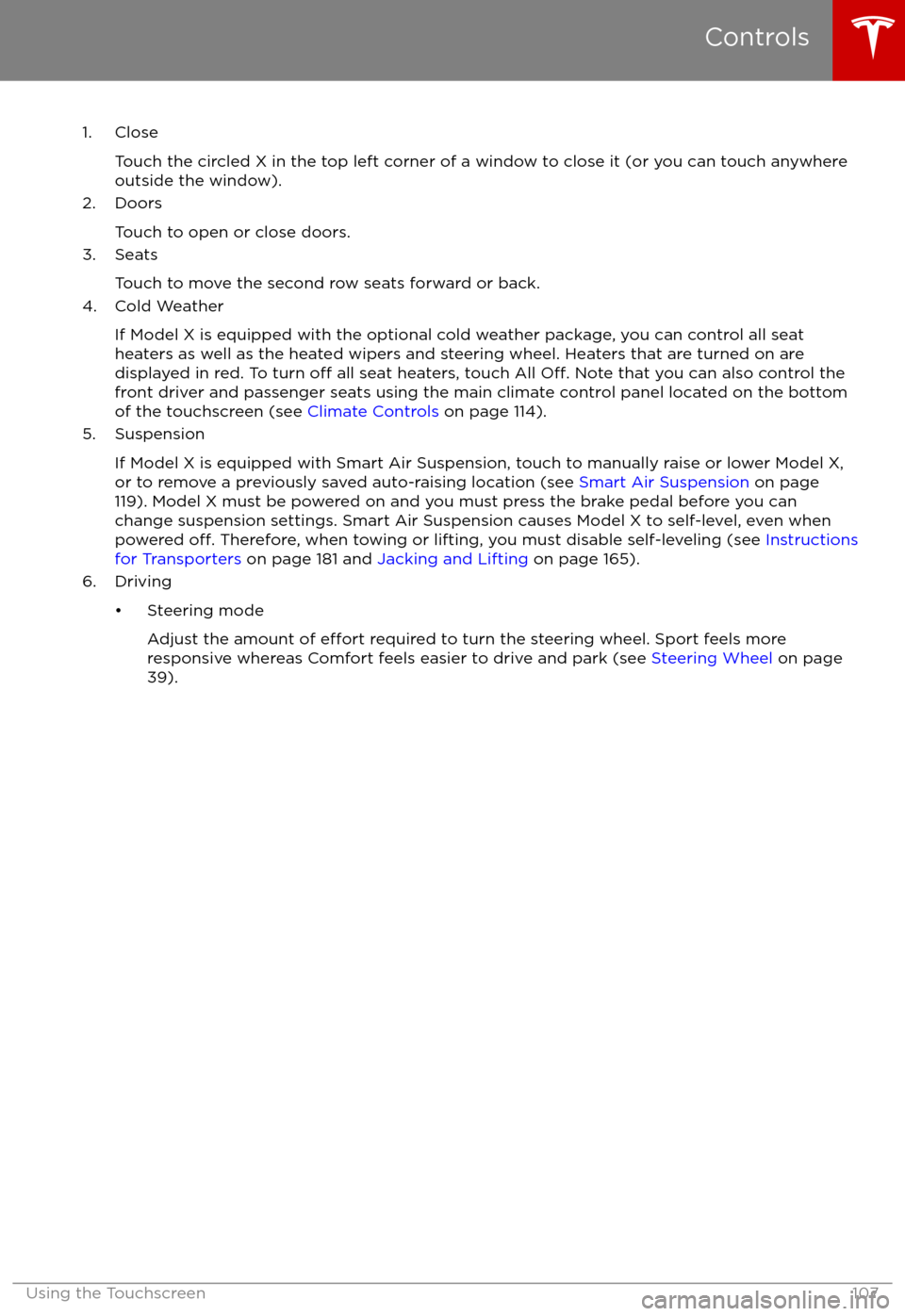
1. CloseTouch the circled X in the top left corner of a window to close it (or you can touch anywhere
outside the window).
2. Doors
Touch to open or close doors.
3. Seats
Touch to move the second row seats forward or back.
4. Cold Weather
If Model X is equipped with the optional cold weather package, you can control all seatheaters as well as the heated wipers and steering wheel. Heaters that are turned on are displayed in red. To turn
off all seat heaters, touch All Off. Note that you can also control the
front driver and passenger seats using the main climate control panel located on the bottom
of the touchscreen (see Climate Controls on page 114).
5. Suspension
If Model X is equipped with Smart Air Suspension, touch to manually raise or lower Model X,or to remove a previously saved auto-raising location (see Smart Air Suspension on page
119). Model X must be powered on and you must press the brake pedal before you can
change suspension settings. Smart Air Suspension causes Model X to self-level, even when powered
off. Therefore, when towing or lifting, you must disable self-leveling (see Instructions
for Transporters on page 181 and Jacking and Lifting on page 165).
6. Driving
Page 121 of 198

Note: Manually lowering the suspension toStandard or Low while at a saved location alsoremoves the auto-raising location.
Automatic Lowering
When Model X is moving above typical
driveway or parking lot speeds, Smart Air
Suspension automatically lowers ride height to improve aerodynamics and handling. For most
average speed driving, the suspension is
automatically set to Standard. As described
above, when you make manual height adjustments, the suspension automatically
lowers at increased driving speeds.
When carrying loads, Smart Air Suspension
also maintains a level height between the front
and rear.
You can adjust the speed at which the Air
Suspension automatically transitions to the LOW ride height by touching Controls >Suspension > Automatic Lowering on the
touchscreen. This setting is saved to your
Driver
Profile.
Note: You can temporarily override the ride
height by pressing the brake pedal, touching
an air suspension control in Controls >
Suspension, and then manually choosing a
ride height. Your suspension
Page 160 of 198

Cleaning the ExteriorTo prevent damage to the paint, immediately
remove corrosive substances (bird droppings, tree resin, dead insects, tar spots, road salt,
industrial fallout, etc). Do not wait until
Model X is due for a complete wash. If
necessary, use denatured alcohol to remove
tar spots and stubborn grease stains, then
immediately wash the area with water and a
mild, non-detergent soap to remove the
alcohol.
Follow these steps when washing the exterior
of Model X:
1. Rinse Thoroughly Before washing,
flush grime and grit from
the bodywork using a hose. Flush away
accumulations of mud in areas where
debris easily collects (such as wheel
arches and panel seams). If salt has been used on the highways (such as during
winter months), thoroughly rinse all traces of road salt from the underside of thevehicle.
2. Hand Wash
Hand wash Model X using a clean soft
cloth and cold or lukewarm water
containing a mild, good quality car
shampoo.
3. Rinse with Clean Water
After washing, rinse with clean water to
prevent soap from drying on the surfaces.
4. Dry Thoroughly and Clean Exterior Glass
After washing and rinsing, dry thoroughly
with a chamois.
Clean windows and mirrors using an automotive glass cleaner. Do not scrape,
or use any abrasive cleaning
fluid on glass
or mirrored surfaces.
Cautions for Exterior CleaningCaution: Do not use windshield treatmentfluids. Doing so can interfere with wiper
friction and cause a chattering sound.Caution: Do not use hot water and
detergents.Caution: In hot weather, do not wash in direct sunlight.Caution: If using a pressure washer,
maintain a distance of at least 12" (30 cm)
between the nozzle and the surface of
Model X. Keep the nozzle moving and do
not concentrate the water jet on any one
area.Caution: Do not aim water hoses directly
at window, door or hood seals, or through
wheel apertures onto brake components.Caution: Avoid using tight-napped or
rough cloths, such as washing mitts.Caution: If washing in an automatic car
wash, use Touchless car washes only. These car washes have no parts (brushes,
etc.) that touch the surfaces of Model X.
Using any other type of car wash could
cause damage that is not covered by the
warranty.Caution: Do not use chemical based
wheel cleaners. These can damage the
finish on the wheels.
Caution: Avoid using a high pressure
power washer on the rear view camera or
parking sensors (if equipped) and do not
clean a sensor or camera lens with a
sharp or abrasive object that can scratch
or damage its surface.
Cleaning
Maintenance159
Page 164 of 198

Removing the Maintenance Panel
To check
fluid levels, remove the maintenance
panel:
1. Pull the rear edge of the maintenance panel upward to release the
five clips that
hold the panel in place.
2. Maneuver the maintenance panel toward the windshield to remove.
Caution: The maintenance panel protects
the front trunk from water. When re-
attaching, make sure it is fully seated.
Checking Battery Coolant
If the quantity of
fluid in the cooling system
drops below the recommended level, the
instrument panel displays a warning message.
Stop Model X as soon as safety permits and
contact Tesla.
Fluid Level Check
Tesla checks the Battery coolant level at the
regularly scheduled maintenance intervals.
DO NOT ADD FLUID. Doing so can result in
damage not covered by the warranty.
Topping Up the Battery Coolant
Under no circumstances should you add
coolant. If the instrument panel warns you that
the
fluid level is low, contact Tesla
immediately.
To maximize the performance and life of the
Battery, the cooling system uses a
specifictype of G-48 ethylene-glycol coolant (HOAT).
Contact Tesla for more specific information
about the coolant.
Checking Brake FluidWarning: Contact Tesla immediately if you
notice increased movement of the brake
pedal or a
significant loss of brake fluid.Driving under these conditions can result in extended stopping distances or
complete brake failure.
The Brake indicator on the
instrument panel alerts you if the
quantity of
fluid in the brake
reservoir drops below the
recommended level. If it displays
while driving, stop as soon as safety
permits by gently applying the
brakes. Do not continue driving.
Contact Tesla immediately.
Fluid Level Check
Tesla checks the brake
fluid level at the
regularly scheduled maintenance intervals.
Topping Up the Brake Fluid
Do not top up your brake
fluid. Tesla service
does this when you bring Model X in for
regular servicing. The following instructions
are provided for information purposes and future reference only:
1. Clean the
filler cap before removing to
prevent dirt from entering the reservoir.
2. Unscrew the cap and remove.
3. Top up the reservoir to the MAX mark using brake
fluid meeting DOT3specifications.4. Replace the filler cap.
Warning: Only use new fluid from a sealed
air-tight container. Never use previously
used
fluid or fluid from a previously
opened container
Page 174 of 198

Brakes
Type
4-wheel anti-lock braking system (ABS)
with Electronic Brake Force Distribution,
Integrated Advanced Stability Control and
Electronic Accelerator pedal actuated
regenerative braking systemCalipersFour piston fixedRotor Diameters (ventilated)Front: 13.98”/355 mm
Rear: 14.37”/365 mmFront Rotor thicknessNew: 1.26”/32 mm
Service limit: 1.18”/30 mmRear Rotor thicknessNew: 1.10”/28 mm
Service limit: 1.02”/26 mmFront Brake Pad Thickness (excluding back plate)New: 0.354”/9.0 mm
Service limit: 0.078”/2 mmRear Brake Pad Thickness (excluding back plate)New: 0.315”/8.0 mm
Service limit: 0.078”/2 mmElectronic Parking Brake (EPB) Pad Thickness
(excluding back plate). Electronic calipers self-
adjust for pad wear.New: 0.216”/5.5 mm
Service limit: 0.039”/1 mmParking brakeElectrically actuated parking brake
calipers
Suspension
FrontIndependent, double wishbone, air spring,
sway barRearIndependent, multi-link, air spring, sway
bar
Battery - 12V
Rating33 amp-hr or higherVoltage and Polarity12V negative (-) ground
Subsystems
Specifications173
Page 182 of 198

Use a Flatbed OnlyUse a
flatbed trailer only, unless otherwisespecified by Tesla. Do not transport Model X
with the tires directly on the ground.
Caution: Damage caused by transporting is not covered by the warranty.Caution: To transport Model X, follow the
instructions exactly as described next.
Disable Self-Leveling (air
suspension vehicles only)
If Model X is equipped with Smart Air
Suspension, it automatically self-levels, even
when power is
off. To prevent damage, you
must activate Jack mode to disable self-
leveling:
1. Touch Controls > Suspension on the touchscreen.
2. Press the brake pedal, then touch Very High to maximize height.
3. Touch Jack.
When Jack mode is active,
Model X displays this indicator
light on the instrument panel,
along with a message telling you
that active suspension is
disabled.
Note: Jack mode cancels when Model X is
driven over 4.5 mph (7 km/h).
Warning: Failure to activate Jack mode on
a Model X equipped with Smart Air
Suspension can result in the vehicle
becoming loose during transport, which
may cause
significant damage.
Activate Tow Mode
Model X may automatically shift into Park
when it detects the driver leaving the vehicle,
even if it has previously been shifted into Neutral. To keep Model X in Neutral (which
disengages the parking brake), you must use
the touchscreen to activate Tow mode:
1. Shift into Park.
2. Press the brake pedal, then on the touchscreen, touch Controls > Settings >
Service & Reset > Tow Mode.When Tow mode is active, Model X
displays this indicator light on the
instrument panel, along with a
message telling you that Model X is
free-rolling.
Note: Tow mode cancels when Model X is
shifted into Park.
Caution: If the electrical system is not
working, and you therefore cannot release
the electric parking brake, attempt to
quick start the 12V battery. For
instructions, call Tesla. If a situation
occurs where you cannot disengage the
parking brake, use tire skids or transport Model X for the shortest possible distance
using wheeled dollies. Before doing so,
always check the dolly manufacturer
Page 191 of 198
AABS (Anti-lock Braking System) 56
Acceleration (dual-motor) 106
access panel, removing 163accessoriesinstalling 166
plugging into power socket 125
adaptive headlights 53
air circulation 115
air conditioning 114
air distribution 115
air
filter 118
air suspension 120
air vents 118
airbags 33
alarm 134
all-season tires 152
always connected, setting 64
anti-lock braking (ABS) 56
audioplaying files 121
steering wheel buttons 39
volume control 121
Auto High Beam 53
Auto Lane Change 87
auto-raising suspension 119
Autopark 89
Autopilot 76
Autosteer 84
average range 64
B backup camera 66
battery (12V)complete discharge 142specifications 173Battery (high voltage)care of 142
coolant 163
specifications 174
temperature limits 142
battery (key), replacing 5
blind spot warning 94
Bluetoothdevices, playing audio files from 124
general information 126
phone, pairing and using 126
body repairs 166
body touch up 161
brake
fluid replacement 149
brakesautomatic in emergencies 96fluid level 163
overview of 56
specifications 173
brightness of displays 110
C
Cabin Overheat Protection setting 110
cabin temperature control 114
Calendar app 132
California Proposition 65 186
camera (rear view) 66
car cover 161
car washes 159
carpets, cleaning 160
CE
certifications 188
CHAdeMO 141
chains 153
change of ownership 113
charge port 143
charge port light 146
chargingcharge settings 147
components and equipment 140
instructions 143
public charging stations 141
scheduling 147
status of 148
charging locations, finding 129
child protectiondisabling liftgate and rear door handles 9
disabling rear window switches 11child seatsinstalling and using 25
cleaning 159
climate controls 114
Cold Weather controls 106
collision avoidance assist 96
console12V power socket 125
cup holders 17
USB ports 124
consumption chart 64
contact informationroadside assistance 180
Tesla 187coolantBattery, checking level of 163
Battery, replacement interval 149
copyrights 184, 185
Creep 106
cruise control 78
cup holders 17
D
dashboard overview 2
data recording 186
day mode 110
declarations of conformity 188
delivery mileage 186
devicesBluetooth, playing audio files 124
Index
190Model X Owner